

Accessing Request Settings
- Open a request in your collection
- Click on the Settings tab in the request pane (alongside existing tabs like Headers, Body, etc.)
- Configure the desired options for your request
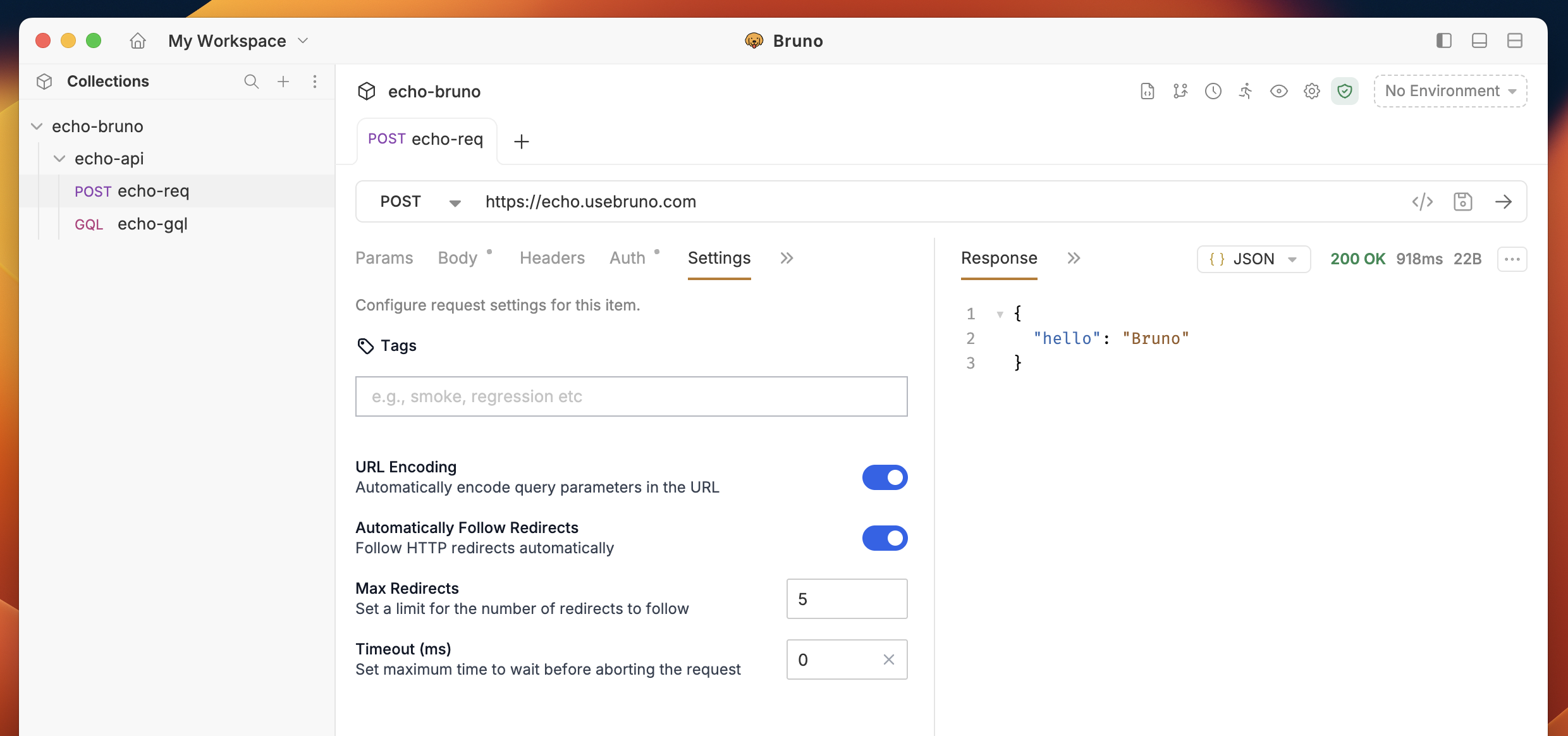
Available Settings
Automatically Follow Redirects
Controls whether HTTP redirects should be followed automatically during request execution. Options:- Enabled (true): Automatically follow redirects (default behavior)
- Disabled (false): Do not follow redirects, return the redirect response
Max Redirects
Limits the maximum number of redirects that can be followed in a single request. Configuration:- Type: Numeric input (whole numbers)
- Range: 0 or more (no upper bound)
- Default: 5 redirects
Request Timeout
Sets the timeout duration for the request in milliseconds. Configuration:- Type: Numeric input (milliseconds)
- Range: 1000 to 300000 (1 second to 5 minutes)
- Default: 30000 (30 seconds)
URL Encoding
Controls whether Bruno percent-encodes the request URL before sending it. Options:- Enabled (true): Bruno encodes each path segment and each query parameter name and value. The scheme, host, and port are sent unchanged.
- Disabled (false): Bruno sends the URL exactly as you entered it.
: in the path or in a query value is sent as %3A, and a space is sent as %20. A # is treated as data and sent as %23. If your API expects these characters unencoded, disable URL Encoding for that request.
Default value:
- Requests created from the New Request dialog have URL Encoding enabled.
- Requests created from a cURL command have URL Encoding disabled.
- Requests with no saved
encodeUrlvalue are treated as disabled.
settings: